
Issues with Abnormal Joints During Robotic Arm Movement Tx Ty Tz
Hello, Annie. Best wishs for you!
First of all, thank you for such an amazing project. The AR4 robotic arm is truly incredible. How challenging it must have been to get this project to the stage it’s at now.
I am a beginner from China, and I have built my own robotic arm's structure. During this process, I’ve learned a lot. I used multiple harmonic reducers and custom-made electric limit sensors, and I’ve also replaced the motors with servos.
Now, my robotic arm is able to move. When it runs, the XYZ linear movement is fine, but for the Ry axis, it looks like J6 rotates around the Y-axis, but Rx and Rz are not correct. Also, Tx, Ty, and Tz seem to move along the tool head’s XYZ directions, but in practice, I’ve noticed that J5 slowly shifts towards the limit switch direction. However, when I execute the Home command, it returns to the home standby position.
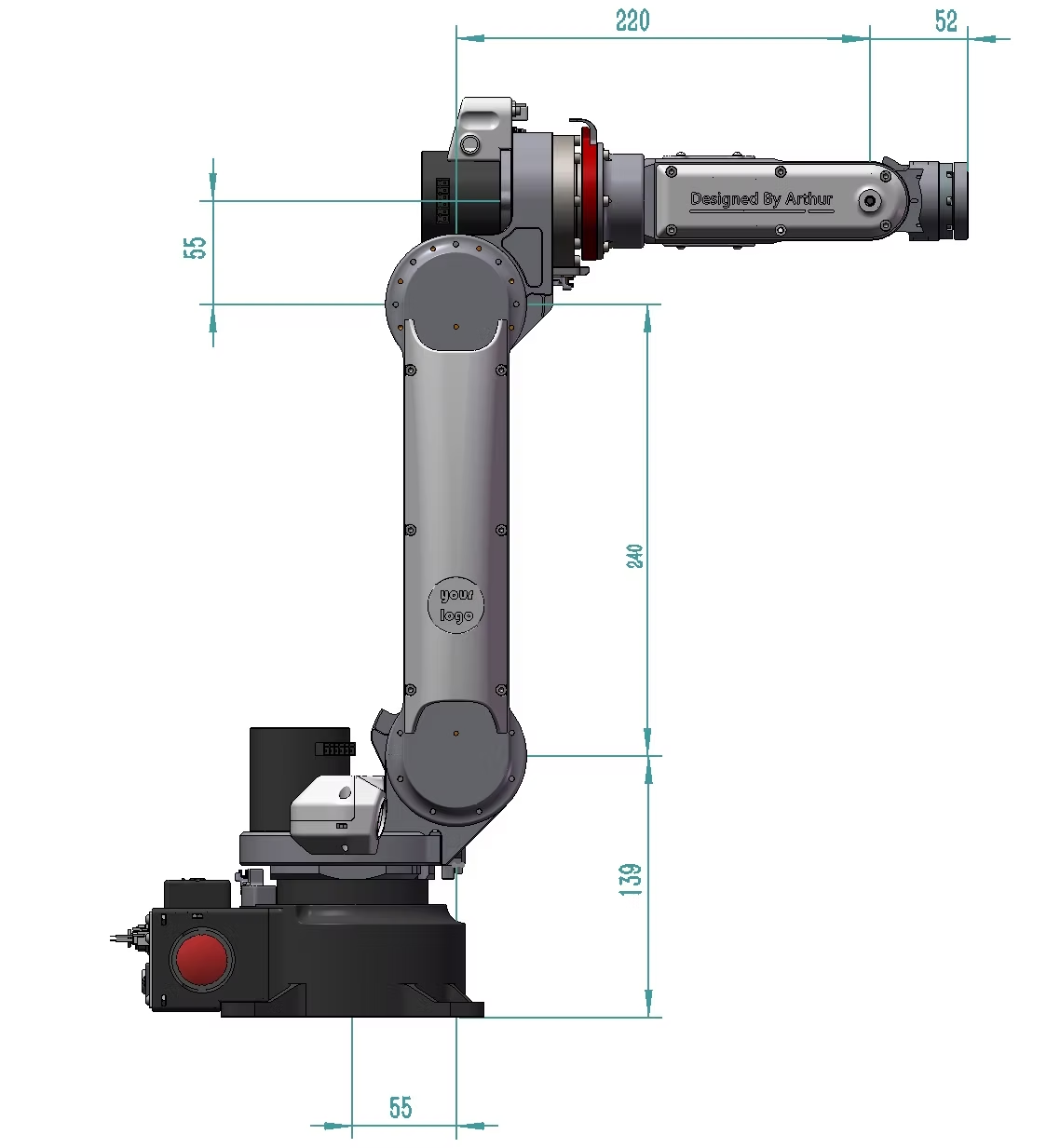
This is my robotic。
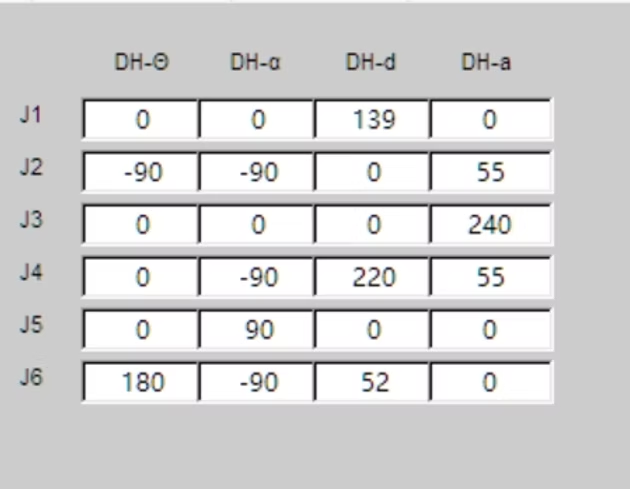
This is the DH parameters of the robotic。
This is a video of the Tx running in a loop several times while staying at the home position.
Data displayed by the HMI software after running
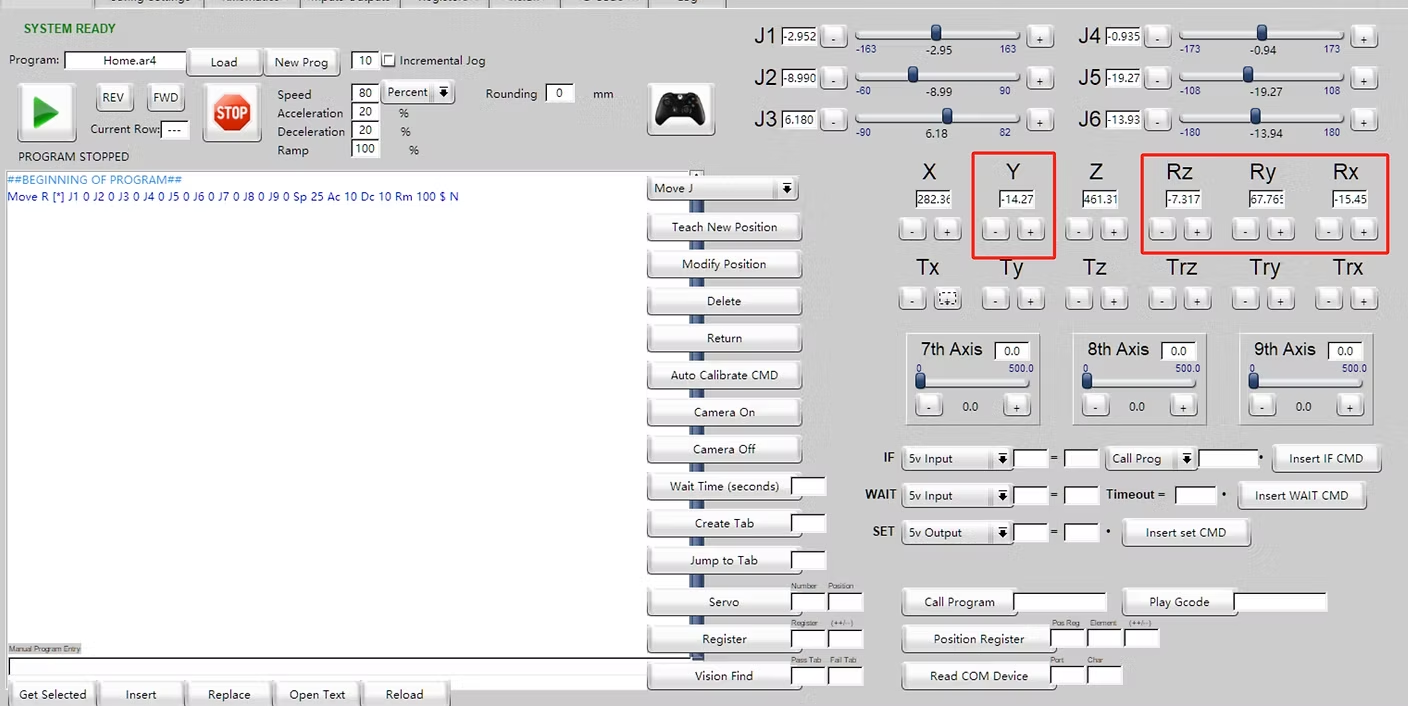
When it runs again to the home position, it returns to the correct position.
This situation occurs both in open-loop and closed-loop modes. This issue has been troubling me for 4 weeks. Do you know where the problem might lie, or what the possible causes could be? I would appreciate your reply if you have time. Thank you very much!

Thank you for your prompt reply.
Yes, I am using version 5.1. I have also tried versions 4.3.1, 4.4, and 5.0, but the issue remains the same. Moving Tx and Tz gradually causes J5 to shift toward the limit switch, and J1 and J4 also slowly deviate from the zero point (though not as much as J5). The upper computer is set to open-loop mode.
In the images below:
-
Image 1 shows the robotic arm in the home position.
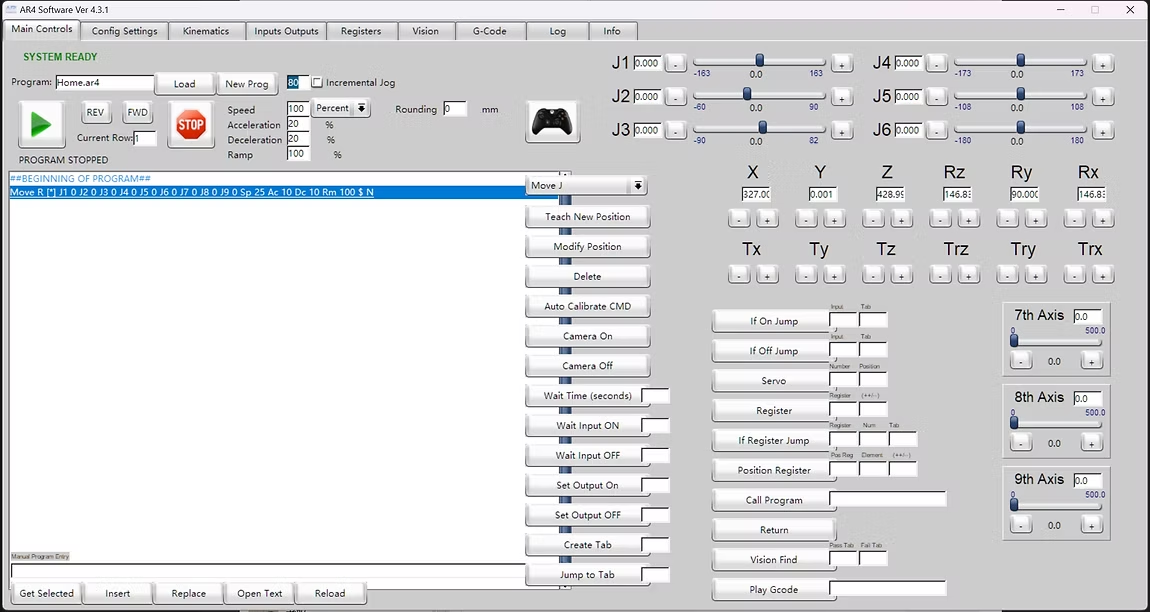
Image 2 shows the state after a complete cycle of moving Tx up and down by about 20 cm.
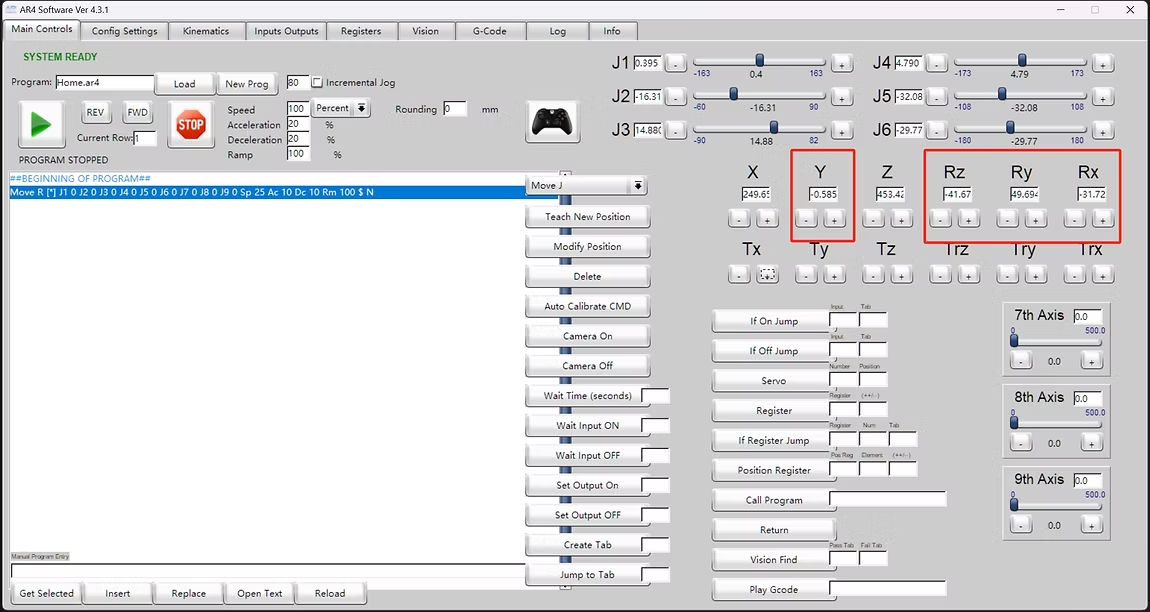
After executing the home command, it can still return to the correct "7" shape position.
4 replies
Chris Annin
It looks like you are running version 5.1 that was just released. Do you see the same behavior in previous software / sketch versions?