
Sert Engineering@sertengineering· 732 views

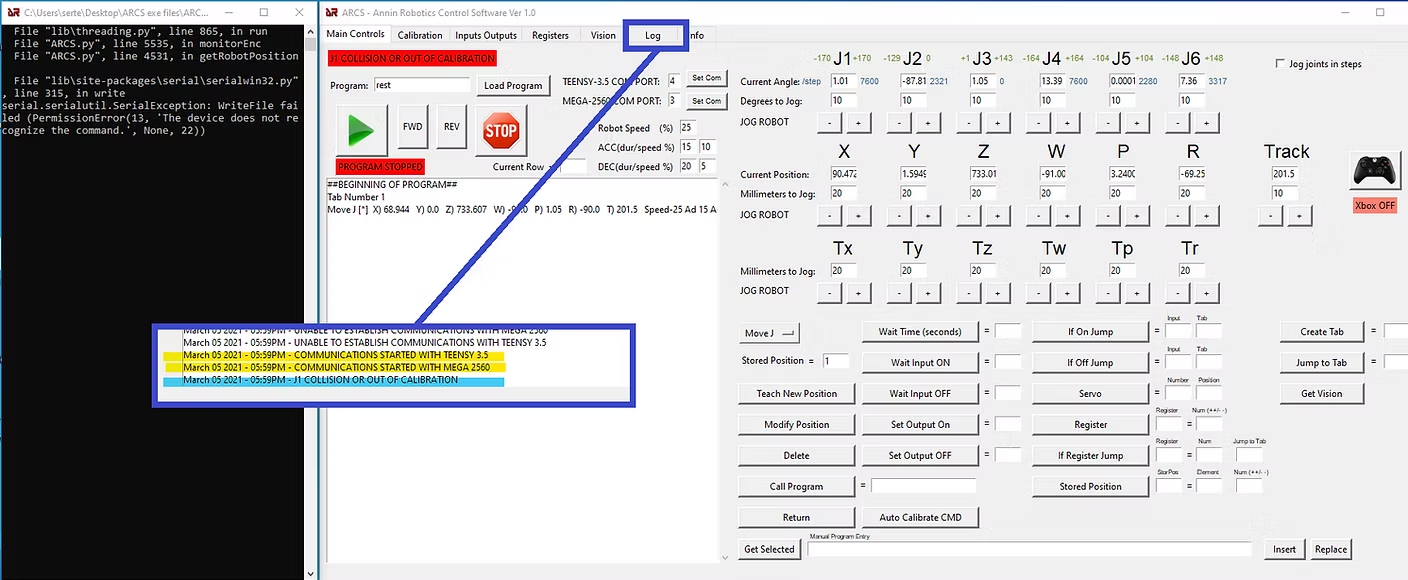
(PermissionError(13, 'The device does not recognize the command.', None, 22))
- I successfully installed teensy and Arduino sketches.
- Connection established and I see yellow sign on ARCS software
Problem: Every time w
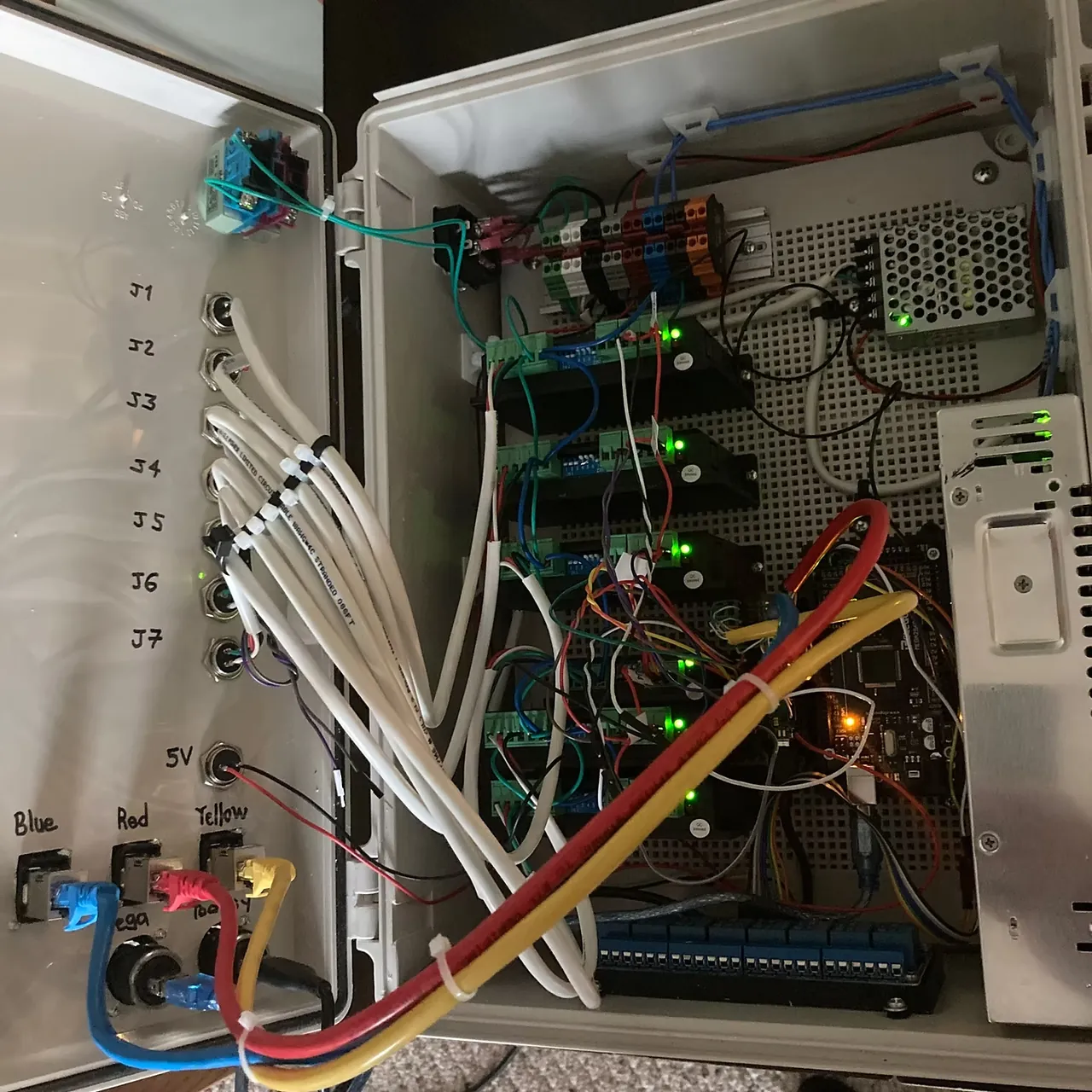
hen I try to jog axis' I get collision error or out of calibration for all axis' and I read permission error on that black screen (see attached photos)
Can I anyone take a look this please?
Thank you
Sert


If you haven't found a solution to your permission error, please take a look at the link below. I had the same com port permission error and was able to resolve it.
https://anninrobotics.com/community/questions/ar2-software-troubleshooting-com-port-permission-error
5 replies
Sert Engineering
UPDATE: I disabled encoders and axis' started moving. But this time when I jog J4, J1 moves 🙂 I know it s bad wiring. I believe switching connection cables would solve this issue without rewiring.