

ESTOP Behavior
Finally got the ESTOP button installed. Interesting. If I hit ESTOP while Autocalibrating the system does indeed stop.
Once I release the ESTOP the 6.7 user interface is now locked and needs task manager to kill it.

I will investigate this and get any issues fixed in the next release.

Chris Annin Please don't get me wrong here. This is an incredible piece of software! I'm experienced enough in software to know the work just to make the user interface in itself is amazing and add to that the Teensy and arduino modules and now Modbus.
John Dammeyer Thank you I appreciate that. I know the Estop button worked within the calibration routing a couple revs previous but when we did the linux update a number of global variables and structure was changed and I've been finding a number of things that got broken that I didnt catch - this is probably another one. I didnt realize it wasn't recovering when pressed during a calibration. Is it recovering ok for you when pressed when running a program rather than calibration?
Chris Annin I will try a program that uses my 3 working axis and get back to you.
Chris Annin OK. Still running the 6.7 version code inside the Teensy. Reverted back to running AR4.exe Version 6.3. Works great. Biggest clue compared to 6.7 is when the ESTOP is hit the display status message (in red) tells me the ESTOP was hit and that information is also in the log file.
Do the same in 6.7 and it continues with the RUNNING PROGRAM message and never stops. Have to kill the program to stop it.
I also tried running the DB[D]1 to enable debug mode in 6.7. Nothing happened. Maybe I'm missing something?
Chris Annin Took another stab at it today. Started fresh. Powered up arm. Then ran Rev 6.7. Calibrate the 3 axis. Then back to main screen and use jog buttons to move J1..J3 off axis. Load Home.ar4 program and ran it. Hit ESTOP while it was moving.
This time Estop message did show up in red. Pressed RUN again. No movement. Jog axis works. Pressed STOP. Message PROGRAM STOPPED. Pressed RUN. Now it continues on to Home Position.
So if in the middle of a program ESTOP is hit, it stops executing the program. However the condition(s) set by pressing the STOP button do not get set and so pressing RUN just says PROGRAM STOPPED and nothing moves.
Therefore I'd guess that when the ESTOP message is generated it should also execute the code that runs when the STOP button is pressed.
John Dammeyer I have found the cause for the issues with Estop during calibration and I will have those fixed on the next release.
Chris Annin I've been studying the AR4.py code. Trying to get a handle on how it works. I did find I do not have the AR4.py for AR4-MK3 HMI interface 6.3 to be able to compare what is different. Any chance you can send me this zip? AR4-HMI-Interface-6.3-source.zip
John Dammeyer you can find it here:
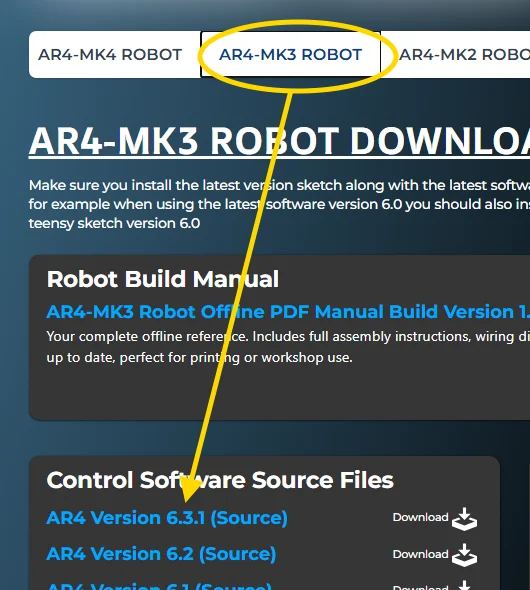
6.3 source had a minor bug on the linux side so stop distributing it - please refer to 6.3.1 source.
Thank you. I use CodeWright File Difference feature to look at what has changed over the versions.