
← General Discussion
ttrobotics@taylantarhan· 1,648 views

AR4 wrong position move

I reconnect all cables but I have a problem with AR4 moves to the wrong position. Jog command also doesn't work correctly.

It seems that J1 and J3 axis moves with wrong angles. @chrisannin can you tell me what to check in my AR4 setup?

Comment 15

Mateo Josue Cruz Gallegos

Espe

switch wires on the driver only one, for example the black with the green and it will change directions

Chris Annin

Can you email pics/video illustrating the angles commanded vs what is executed so I have an idea how far off each axis is. Double check that you do not have the J1 and J3 motors swapped. This has been a common mistake - with the 50:1 J3 motor and 10:1 J1 motors swapped on the wrong joints the positions will be off quite a bit. Also check your driver dip switch settings to make sure they are on the correct micro step.

ttrobotics

@Chris (https://anninrobotics.com/community/questions/ar4-wrong-position-move) Annin You are right. I made wrong motor connections. I will change it. I will check all relevant links. I will inform you.

ttrobotics

Auto Calibrate

The video of all the joints is on my Youtube channel

Mateo Josue Cruz Gallegos

Espe

Did you check de J1 Limit switch? It seems like the J1 limit swtich has a false contact when GND o 3.3v has no contiue
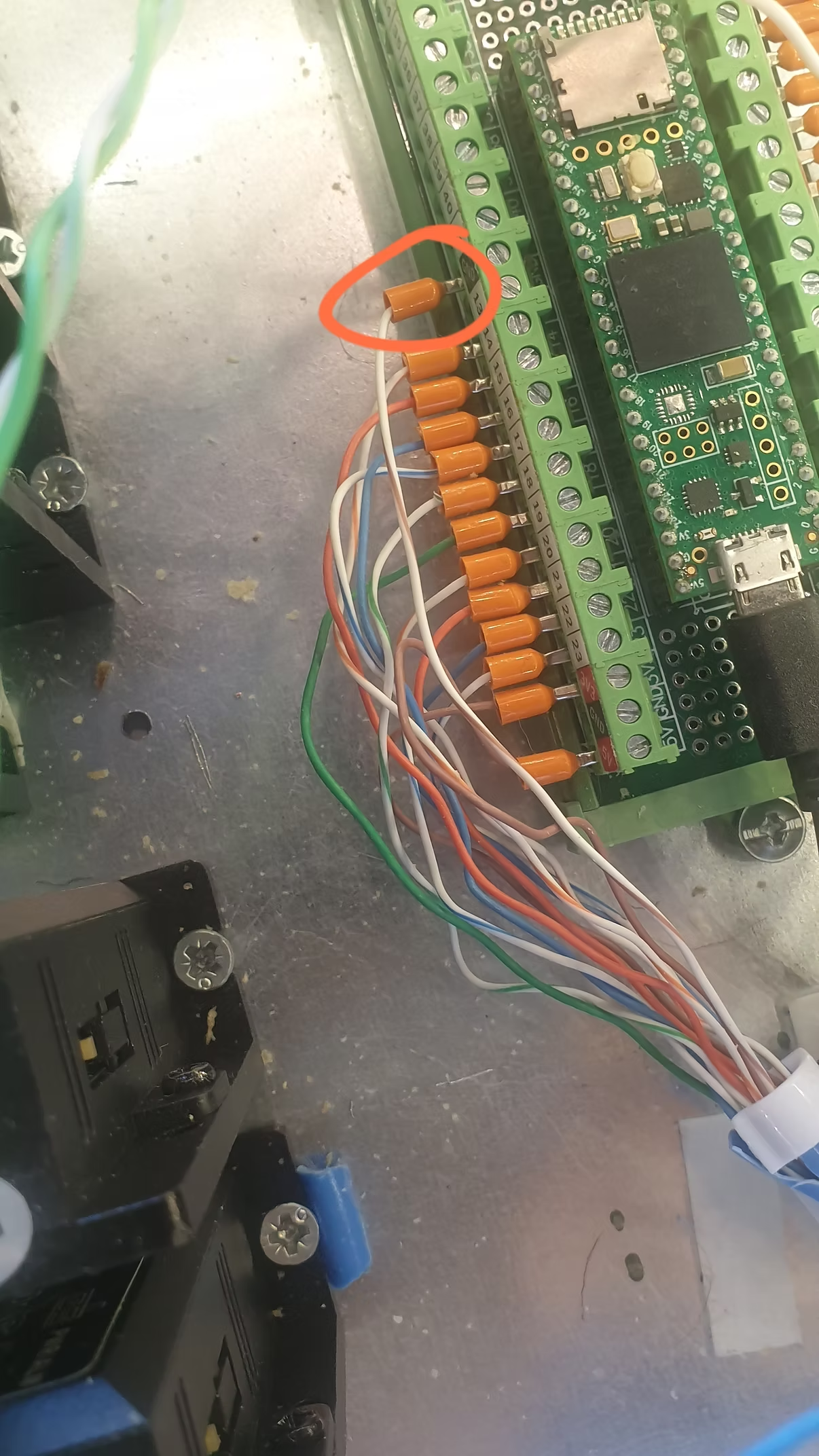
ttrobotics

I checked the J1 limit switch. There's no problem with the connection.

(558) J1 limit swicth control - YouTube (

)

Chris Annin

It appears J3 is moving too fast and J1 far too slow. I suspect you have the motors swapped. Please check that and let me know.

Chris Annin

Also the calibration wil fault out if the switch isn't made within full rotation of that joint so if the 50:1 motor is installed on J1 instead of J3 it wont make it to the switch in time.

ttrobotics

J2 Calibrate

The video of all the joints is on my Youtube channel

(552) J2 calibrate - YouTube (

)

ttrobotics

J3 Calibrate

The video of all the joints is on my Youtube channel

(552) J3 calibrate - YouTube (

)

ttrobotics

J4 Calibrate

The video of all the joints is on my Youtube channel

(552) J4 calibrate - YouTube (

)

ttrobotics

J5 Calibrate

(552) J5 calibrate - YouTube (

)

ttrobotics

J6 Calibrate

(552) J6 calibrate - YouTube (

)

ttrobotics

J1 Calibrate

(552) J1 Calibrate - YouTube (

)

ttrobotics

I changed the engines.I reconnected the cables.The COM connection on the computer comes the moment I plug in the USB cable, it disappears after a second.The COM connection does not appear in the device manager.That's why I can't connect with the robot.

15 replies

Photos