
ROS 2 tutorial
AR4 ROS 2 MoveIt Tutorial
This tutorial takes you from a fresh Ubuntu machine to planning AR4 motion in MoveIt, using the official ar4_ros_driver. Every command is from the driver's README.
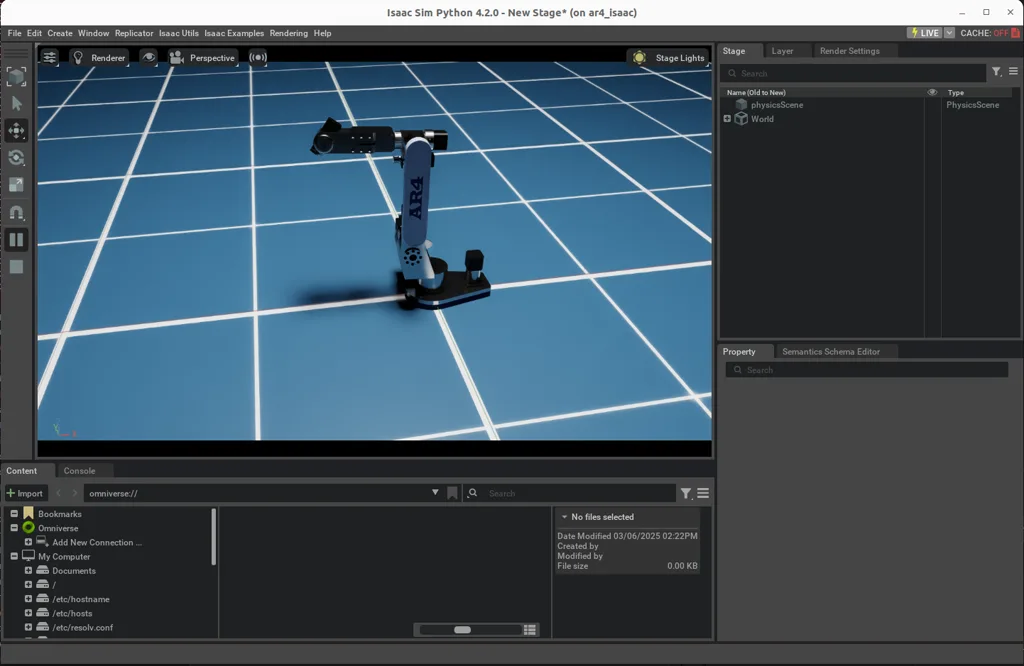
What you get
Packages for the robot description, hardware driver, firmware, MoveIt configuration and Gazebo simulation. Plan in RViz, run the real arm, or simulate first.
ROS 2
Jazzy
OS
Ubuntu 24.04
Planning
MoveIt
Sim
Gazebo
1. Install the driver
Install ROS 2 Jazzy first, then create a workspace, clone the driver, install dependencies, ros2_control and MoveIt, and build:
Ubuntu 24.04 terminal
mkdir -p ~/ros2_ws/src
cd ~/ros2_ws/src
git clone https://github.com/Annin-Robotics/ar4_ros_driver.git

cd ~/ros2_ws
rosdep install --from-paths src --ignore-src -r -y

sudo apt install -y ros-jazzy-ros2-control ros-jazzy-ros2-controllers ros-jazzy-controller-manager
sudo apt install -y ros-jazzy-moveit ros-jazzy-moveit-py

source /opt/ros/jazzy/setup.bash
colcon build
source ~/ros2_ws/install/setup.bash
Add both source lines to your ~/.bashrc so every terminal is ready. Then check the install with the MoveIt demo, which needs no hardware:
MoveIt demo
ros2 launch annin_ar4_moveit_config demo.launch.py ar_model:=mk42. Prepare the hardware
- Step 1Serial accessAdd your user to the dialout group (
sudo adduser $USER dialout) and log out and back in. - Step 2Arduino IDE and TeensyduinoInstall Arduino IDE 2.x, Teensyduino, the Bounce2 library and the PJRC udev rules.
- Step 3Flash the Teensy 4.1Open the Teensy sketch from annin_ar4_firmware, select Teensy 4.1 and upload.
- Step 4Flash the Nano (gripper)Open the gripper sketch, select Arduino Nano (old bootloader if required) and upload.
Use the firmware from annin_ar4_firmware with ROS 2. If you also run the AR4 HMI, check which Teensy sketch each expects before switching between them.
3. Drive the real arm
Start the driver, which calibrates the arm, then start MoveIt and RViz. Plan in RViz and press execute to move the arm.
Two terminals
# terminal 1: driver (calibrates on start)
ros2 launch annin_ar4_driver driver.launch.py ar_model:=mk4 calibrate:=True include_gripper:=True

# terminal 2: MoveIt and RViz
ros2 launch annin_ar4_moveit_config moveit.launch.py
The driver defaults to /dev/ttyACM0 for the Teensy and /dev/ttyUSB0 for the Nano; override them with serial_port and arduino_serial_port. If the E-stop is pressed, reset it with the driver's reset_estop.sh script.
4. Simulate in Gazebo
Gazebo and MoveIt
ros2 launch annin_ar4_gazebo gazebo.launch.py
ros2 launch annin_ar4_moveit_config moveit.launch.py use_sim_time:=true include_gripper:=True
Simulation is the place to test new planning code before it reaches the arm. See the digital twin guide for the AR4's other simulation options.
5. Useful terminal commands
Gripper, park and calibration
# open / close the servo gripper
ros2 action send_goal /gripper_controller/gripper_cmd control_msgs/action/GripperCommand "{command: {position: 0.012, max_effort: 0.0}}"
ros2 action send_goal /gripper_controller/gripper_cmd control_msgs/action/GripperCommand "{command: {position: 0.000, max_effort: 0.0}}"

# park (recommended pose before power off)
ros2 service call /park std_srvs/srv/Trigger "{}"

# recalibrate J5 and J6 only
ros2 service call /calibrate_mask annin_ar4_driver/srv/CalibrateMask "{mask: '000011'}"
Calibration offsets are set in the CAL_OFFSET_DEG array in the Teensy sketch; reflash after changing them. The driver uses velocity based trajectory control by default; set velocity_control_enabled: false in driver.yaml for position control, with lower velocity and acceleration scaling.
6. Write your own node
The README's C++ example uses MoveIt's MoveGroupInterface. Create a package, then copy in simple_pick_place_mgi.cpp and the provided CMakeLists.txt:
Create the package
cd ~/ros2_ws/src
ros2 pkg create ar4_moveit_cpp_demo --build-type ament_cmake \
  --dependencies rclcpp moveit_ros_planning_interface
Community add-ons build on the driver: hand-eye calibration, Xbox teleoperation and multi-arm examples, and a tabletop assistant that combines vision and speech models.
Kit plus motors
$1,928
Combo kit $1,229 + StepperOnline motor package $699. Grippers and printed covers are extra.
Keep reading
FAQ
Which ROS 2 version does the AR4 driver use?
The README is tested with ROS 2 Jazzy on Ubuntu 24.04 and links a Humble branch on a contributor's fork.
Can I try MoveIt without the robot?
Yes. The MoveIt demo launch runs RViz with a fake hardware interface, and the Gazebo launch simulates the arm with MoveIt.
Which ar_model should I use?
The README lists mk1, mk2, mk3 and mk4, defaulting to mk4. MK5 is not in that list as of November 2026, so check the repository for current MK5 support.
Do I need to calibrate every time?
Calibration is required after flashing the Teensy firmware or power cycling the robot or Teensy. Otherwise it can be skipped with calibrate:=False.
How do I write my own ROS 2 node for the AR4?
The README includes a C++ MoveGroupInterface example (simple_pick_place_mgi) that opens the gripper, moves to a safe pose, moves to a pick pose, closes the gripper and returns.