
Classroom safety
AR4 Classroom Safety and Human-Robot Risk Assessment
The AR4 is a six axis arm used in schools because students can see the mechanism and the software can stop on a collision or motor error. That is not a certification. A class still needs a marked envelope, an emergency stop and someone watching.
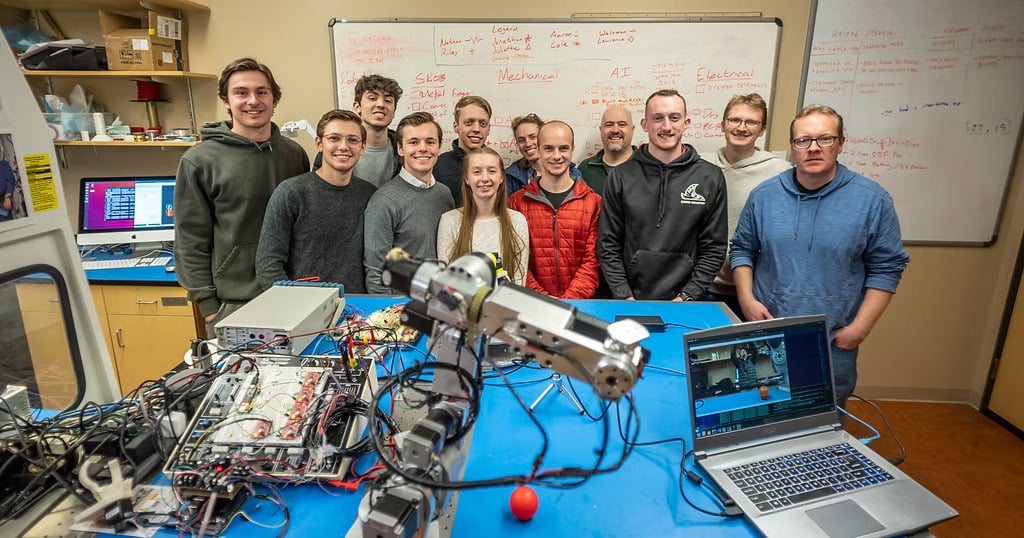
A teaching arm, with rules
Published reach is 629 mm (24.75 in), payload 1.9 kg, repeatability ±0.25 mm, and maximum linear speed 100 mm/s. The arm those numbers describe is the AR4-MK5 6 axis robot arm kit. Nothing on this site states compliance with a robot safety standard.
Reach
629 mm
Max linear
100 mm/s
E-stop
Hardware
Certification
Not stated
Emergency stop
The G-code and safety upgrade tutorial shows adding an emergency stop button, and the HMI history notes an E-stop button interrupt from version 4.3. Stay at that button for a first run. The ROS 2 driver includes reset_estop.sh for after the button has been pressed.
robot.stop() in the Python API sends a software stop and does not wait for a reply. The API guide says not to treat a Python method as the physical emergency stop. A script, a USB cable or a locked PC must not be the only way to halt the arm.
Collision detection, as the education page describes it
The education page says the arm is used in classrooms with collision detection and visible components. Visible components means students can see belts, gears and wiring, including through the clear side covers. Collision detection, in the troubleshooting wizard, is the software stop titled collision or motor error.
- The check compares encoder feedback with the move. A joint that runs in open loop but faults with encoders on is an encoder-path problem, not proof that the arm felt a person.
- Noise, a reversed encoder phase, or the wrist at a singularity (J5 near 0°) can raise the same error. The wizard asks you to jog J5 to about 45° and try again.
- The Python wrapper does not plan a collision-free path. A scripted move will attempt the target you send.
Use the stop as a fault that ends the program. Do not brief a class that the arm will yield safely if someone steps into it.
Speed, payload and the work envelope
| Reach | 629 mm (24.75 in) from J1 to the flange |
|---|---|
| Payload | 1.9 kg (4.15 lb), gripper and part included |
| Repeatability | ±0.25 mm |
| Maximum linear speed | 100 mm/s |
| First programs | Low percent speed in the HMI or the Python API, one move at a time |
100 mm/s is the published cap, not a classroom target. Teach and debug slower. Mark the floor or the bench out to the full reach, including a gripper that sticks past the flange, and keep that area empty while a program runs.
Work cell and supervision
- One supervisor who can reach the E-stop without stepping through the envelope.
- A single operator at the teach controls. Other students watch from outside the marked area.
- Covers on while the arm runs. Clear covers are for seeing the mechanism, not for running the arm open.
- No program left looping when the class changes over. Stop motion and disable the drives before anyone reaches in to change a part.
- A written note of what this arm does not claim: no published safety certification.
A simple classroom checklist
Use this before a lab. It restates the limits and stops above. It is not a risk assessment under ISO, ANSI, RIA or any other standard, and completing it does not make the cell compliant with one.
- Step 1EnvelopeFloor or bench marked to 629 mm plus the tool. Chairs and bags outside it.
- Step 2E-stopHardware button tested at the start of class. Everyone knows it is not the Python stop() call.
- Step 3SpeedFirst run at low percent speed. No one raises speed until the path has been stepped through.
- Step 4PeopleSupervisor present. One person jogging or starting the program. Hands out before Run.
- Step 5FaultsIf a collision or motor error appears, treat it as a stop. Do not hold reset and keep reaching in. Use the troubleshooting wizard if it repeats.
- Step 6End of classProgram stopped, drives off, arm parked so the next group does not walk into the wrist.
The arm
AR4-MK5 6 axis robot arm kit
Schools start from the combo kit, then add the E-stop practice and the checklist above. Kits and a school quote are linked from robot kits and education.
Keep reading
FAQ
Is the AR4 certified as a collaborative robot?
Annin Robotics does not publish a certification, a collaborative-robot rating, or a claim of compliance with a robot safety standard for the AR4. Treat it as a classroom arm that still needs an envelope, an E-stop and a supervisor.
What does collision detection do?
The education page lists collision detection as one reason the arm is used in classrooms. In the software, a collision or motor error stops the motion when encoder feedback does not agree with the commanded move. It is not a rated force-limiting safety function, and it does not replace keeping people out of the reach.
Is stop() in Python an emergency stop?
No. The Python API guide says robot.stop() is a software stop. Use a hardware emergency stop that cuts motion even if the script or the PC locks up.
How fast can the arm move?
The published maximum linear speed is 100 mm/s. Python speed, acceleration and deceleration are percentages of the controller's command, and the API guide says to begin low and test one move at a time.
What belongs in a classroom risk check?
A marked reach envelope, a supervisor, a hardware E-stop in reach, a clear floor, low speed on the first run, and a plan for what the collision or motor error stop does and does not cover. This site's checklist is a teaching list, not a formal risk assessment under a standard.