
Welding training guide
Robot Arm for Welding Training and Demos
Industrial welding robots are expensive to put in front of every student. A small open arm can teach the programming half of robotic welding at a fraction of the cost. Here is what the AR4 can and cannot do.
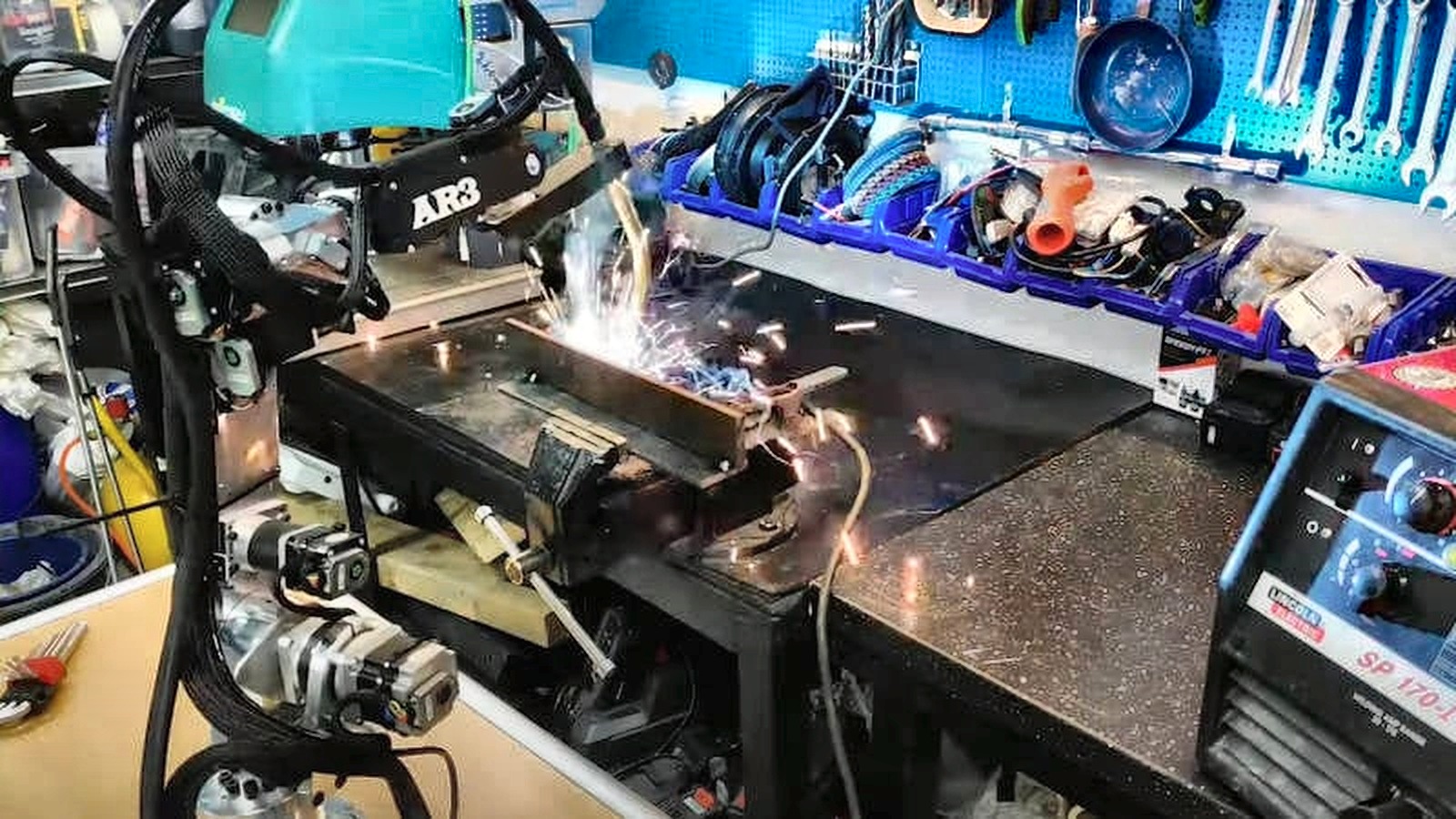
Teaching, not production
Chris Annin has run bench welding demos with his arms, including the AR4. The AR4 is not sold as a welding robot, and there is no welding package. Use it to teach weld path programming and demonstrate the idea, not to weld production parts.
Payload
1.9 kg
Repeatability
0.25 mm
Max linear speed
100 mm/s
Welding package
None
What students can learn on an AR4
Torch tool frame
Define the tool center point at the torch tip, then check it by rotating about the tip.
Work and travel angles
Hold the torch at a set angle to the joint while it moves, using tool and world frame jogging.
Seam paths
Program approach, start, linear seam, arc or circle moves and retract, with a set travel speed.
Part positioning
Add a turntable or travel track as an extra axis to reach around a part.
Dry runs
Run every path with no arc, using a pointer or a marker in the torch mount to trace the seam.
Cell safety
Guarding, E-stops and keeping people out of the reach envelope while the robot runs.
Programming a seam, step by step
- Step 1Mount and measureMount the torch or a dummy torch rigidly and enter its tip offset as the tool frame.
- Step 2Teach the approachJog to a point a short distance off the seam start with the torch at the right angle.
- Step 3Teach the seamTeach the start and end, and use linear moves for straight seams or arc moves for curves.
- Step 4Set speedSet a constant travel speed for the seam moves; the arm's maximum linear speed is 100 mm/s.
- Step 5RetractAdd a linear move straight off the end of the seam.
- Step 6Dry runTrace the path with a marker or pointer and check angles before any live demo.
Honest limits
- No welding package: no arc start or weld parameter control, no weaving routines and no seam tracking are published for the AR4.
- Light payload: the torch, mount and cable pull all count against 1.9 kg.
- The arm is not rated for welding heat, spatter, fumes or the electrical noise of a welding power source.
- Printed covers and wiring are near the work. Shield the arm if you run a live arc demo.
Live arc demos need the same precautions as any welding: a trained operator, eye and skin protection for everyone nearby, ventilation, fire precautions and correct grounding of the work, never through the robot. For production welding, use an industrial robot rated for welding.
Kit plus motors
$1,928
Combo kit $1,229 + StepperOnline motor package $699. Grippers and printed covers are extra.
Keep reading
FAQ
Can the AR4 weld?
Chris Annin has shown AR4 and earlier AR3 arms carrying a welding torch in bench demos. The AR4 is not sold or rated as a welding robot, though: there is no welding package, arc start I/O kit or seam tracking. Treat it as a teaching and demo platform.
Is the AR4 a good robot for welding training?
It is a low cost way to teach the programming side of robotic welding: torch angles, travel speed, linear and arc paths, approach and retract moves, and cell safety, often with no arc at all. Hands-on production welding skills still need an industrial welding cell.
Can I use the AR4 for production welding?
We do not recommend it. Production welding needs a robot rated for the duty cycle, heat, spatter and electrical noise of welding, plus weld specific software. The AR4 is a light duty educational arm.
How heavy a torch can the AR4 carry?
The rated payload is 1.9 kg, and it must include the torch, its mount and whatever pull the cable puts on the wrist. Support the cable separately.
Which AR4 features matter for weld path practice?
Tool frames for the torch tip, linear moves for straight seams, arc and circle moves for curves, speed control and an optional turntable or 7th axis.