
Vision guide
Vision Guided Robot Arm: Picking with a Webcam
A camera lets a robot pick parts that are not in fixed positions. The AR4 HMI has vision built in, so a USB webcam is all you add. Here is the setup, step by step.
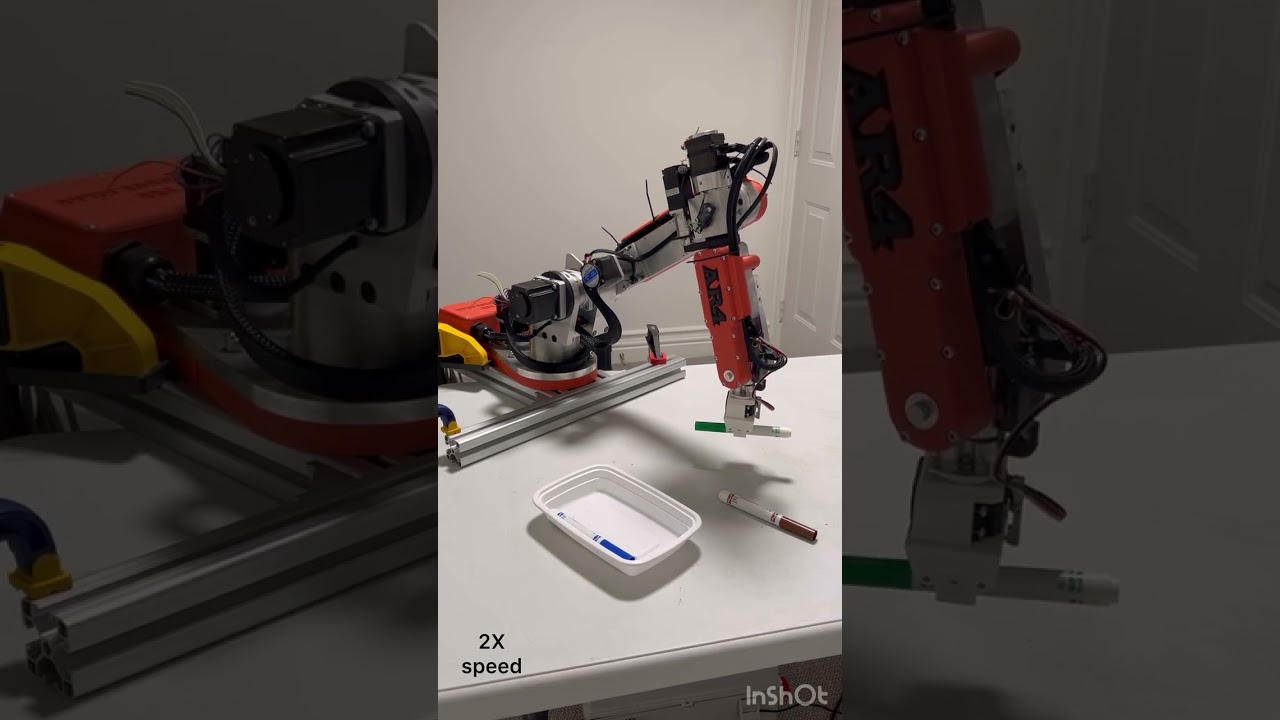
Built into the HMI
The HMI's vision tab, based on OpenCV, finds taught parts in the camera image and passes their positions to your robot program. No separate vision software or license is needed.
Camera
USB webcam
Calibration
Printed grid
Teaching
Bounding boxes
Software
Free HMI
Setting up vision picking
- Step 1Mount the cameraFix a USB webcam above the work area so it sees the whole picking zone. Keep the zone clear of wrist singularities.
- Step 2CalibrateLay a printed grid in the work area, then touch reference points with a pointer on the robot so camera pixels map to robot positions.
- Step 3Tune the imageAdjust contrast and other image settings for your lighting, and save them.
- Step 4Teach partsDraw a bounding box around each part to teach it as a template.
- Step 5Mask the backgroundMask areas that confuse detection, like edges, labels or fixtures.
- Step 6Program the pickUse vision find in your program, then move to the found part with offsets for approach and grip.
Tips for reliable picks
- Even, diffuse lighting matters more than camera resolution. Avoid shadows and glare.
- Use a background that contrasts with your parts.
- Teach each part type separately when several kinds share the tray.
- For parts that can rotate, the tutorial's pick closest 180 option keeps the wrist from turning further than needed.
- Calibrate again if the camera or table moves.
Beyond 2D: ROS 2 and AI projects
Community projects built on the AR4 ROS 2 driver go further: an AR4 hand-eye calibration package, and a tabletop assistant that pairs a RealSense D435 depth camera with open vision and speech models to pick objects on request. See AR4 for AI research.
Kit plus motors
$1,928
Combo kit $1,229 + StepperOnline motor package $699. Grippers and printed covers are extra.
Keep reading
FAQ
What camera does the AR4 vision system need?
A standard USB webcam. The vision tutorials use an ordinary webcam with the HMI's built in vision tab, which is based on OpenCV.
How do you calibrate a camera to a robot arm?
In the AR4 HMI you place a printed grid in the work area and touch reference points with a pointer on the robot, so camera pixels map to robot positions on that plane.
Can the AR4 recognize different parts?
Yes. You teach each part by drawing a bounding box around it, and the vision find command locates taught parts, including several parts in one image.
Does it do 3D vision or bin picking?
The HMI's vision is 2D on a calibrated plane. For 3D work, community ROS 2 projects pair the AR4 with depth cameras such as an Intel RealSense D435.
Do I need ROS for vision on the AR4?
No. Vision guided picking runs in the free AR4 HMI. ROS 2 is an option for research projects.