
Simulation guide
Robot Arm Digital Twin: Simulate Before You Move
A digital twin is a live virtual copy of your robot. You use it to check reach, plan paths and write programs before the real arm moves. Here is what the AR4 offers, from its built in virtual robot to ROS 2 simulation.
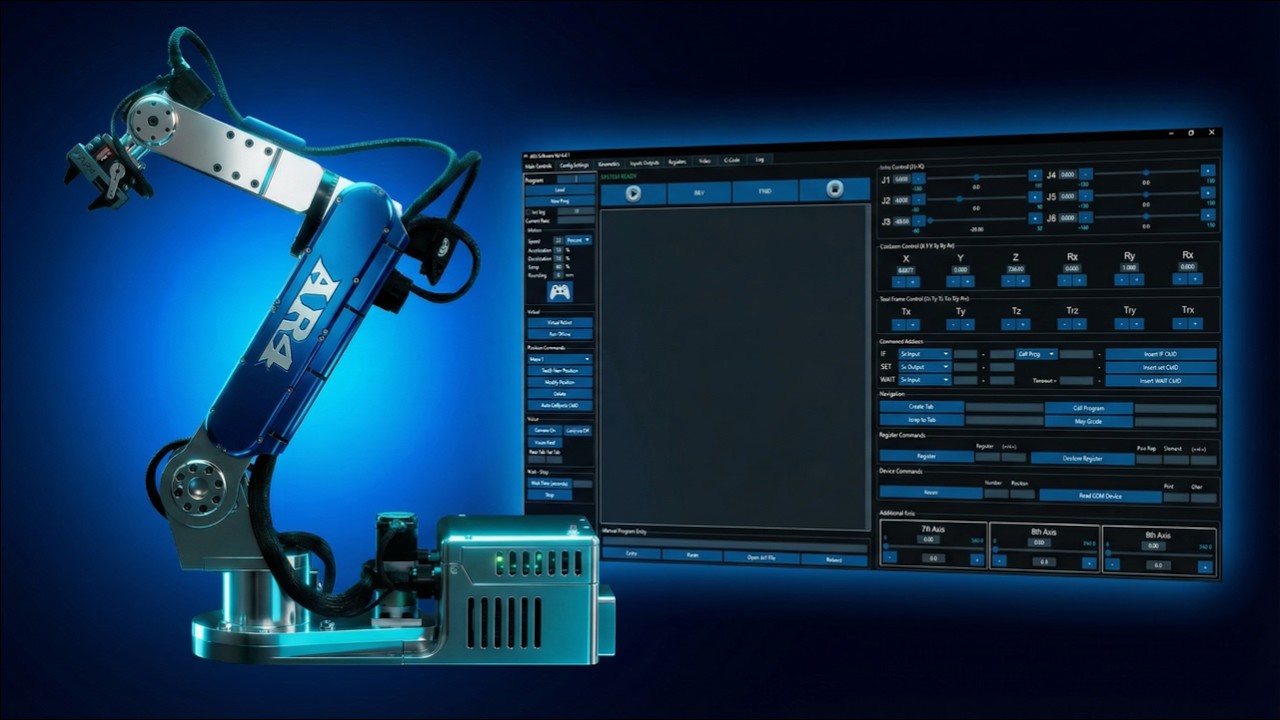
Built into the HMI
The free AR4 HMI shows a 3D virtual robot. Connected, it follows the real arm. Offline, it becomes a simulator for jogging and writing programs with no hardware at all.
Virtual robot
Since v6.0
Python API
Since v7.0
Offline programming
Since v8.0
ROS 2 sim
Gazebo
The AR4 virtual robot
Online twin
With the Teensy connected, the virtual robot tracks the real arm's joint angles, so you can watch the program and the robot together.
Offline mode
Press Run Offline and the HMI drives only the virtual robot. Jog, teach and test programs at a desk.
CAD import
Import fixtures, parts and your end of arm tool. STEP files are converted to STL so they display in the scene.
Offline programming workflow
- Step 1Build the sceneImport your table, fixtures and tool so reach and clearance are realistic.
- Step 2Go offlineSwitch to offline mode. The virtual robot starts from a neutral pose.
- Step 3Teach and editJog the virtual arm, insert moves and build the program as you would on the real arm.
- Step 4Check the pathRun the program on the virtual robot. Watch for wrist flips, joint limits and near misses.
- Step 5Go online and test slowlyConnect the arm, go online and step through at low speed before running at full speed.
Offline mode cannot run G-code, I/O, servo control or the encoder and limit switch tests; those need the real controller. A simulation is only as accurate as the scene you build, so always prove a new program slowly on the real arm.
ROS 2 simulation
The official ar4_ros_driver includes a Gazebo package and a MoveIt demo that runs without hardware. The community Ekumen stack adds MuJoCo, with Isaac Sim support in development; see ROS 2 for AR4. Setup steps are in the ROS 2 MoveIt tutorial.
Digital twins in the classroom
Simulation lets a whole class practice while a few arms are in use. The AR4 sample curriculum pairs hands-on labs with simulation every week and names ABB RobotStudio and RoboDK alongside the HMI. See the training curriculum.
Kit plus motors
$1,928
Combo kit $1,229 + StepperOnline motor package $699. Grippers and printed covers are extra.
Keep reading
FAQ
Does the AR4 have a digital twin?
Yes. The AR4 HMI includes a 3D virtual robot. Online, it follows the real arm's joint angles; offline, you jog and program the virtual robot with no hardware connected.
Can I program the AR4 offline?
Yes. Since software version 8.0 the HMI supports offline programming on the virtual robot. Some functions need the real arm, such as G-code, I/O and the encoder and limit switch tests.
Can I add my own fixtures and tools to the simulation?
Yes. The HMI can import CAD into the scene and as the end of arm tool. STEP files are converted to STL on import.
Which simulators work with the AR4?
The HMI's virtual robot, Gazebo through the official ROS 2 driver, and the community Ekumen stack with Gazebo and MuJoCo (Isaac Sim support in development).
Can I use RobotStudio or RoboDK with the AR4 in class?
The AR4 sample curriculum names ABB RobotStudio (free education version) and RoboDK for its simulation module.