
Programming tutorial
How to Program a Robot Arm
Industrial robots are mostly programmed the same way: teach points, choose move types, add logic and I/O. This tutorial walks through each method on the AR4, from point and click teaching to Python and ROS 2.
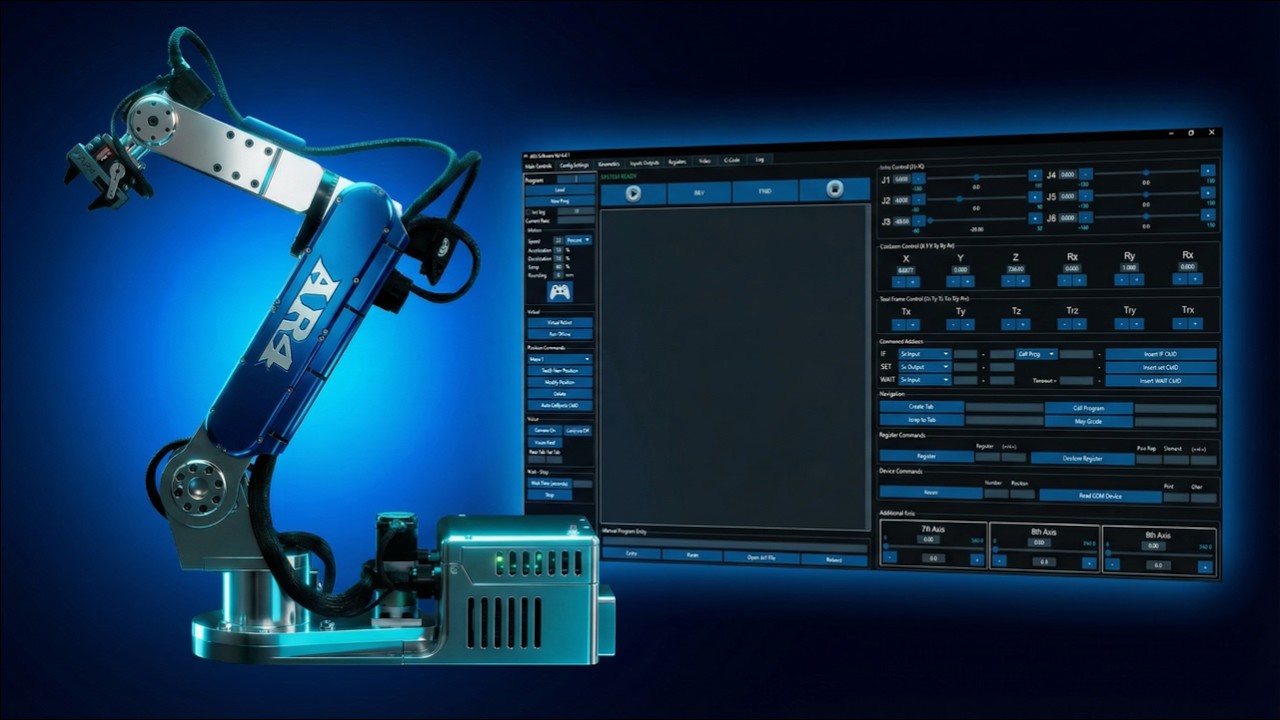
Four ways in
Teach programs in the free AR4 HMI, script the arm in Python with the AR4 API, plan motion in ROS 2 with MoveIt, or run G-code paths from the controller's SD card.
HMI
Free
Python API
ARrobot.py
ROS 2
MoveIt
G-code
From SD card
1. Teach programming in the HMI
Teach programming is how most factory robots are set up. In the AR4 HMI you jog the arm to a point, insert a move, and repeat:
- Step 1JogMove the arm with joint jog, Cartesian (world) jog or tool frame jog. An Xbox controller can jog too.
- Step 2Insert a moveSave the position as a move J (joint), move L (linear) or move R (joint rotation), with speed and acceleration.
- Step 3Use registersStore positions and counters in registers so one routine can pick from a grid or stack parts with offsets.
- Step 4Add logicUse calls, loops and if/then to build cycles. Wait on an input or set an output to talk to grippers and sensors.
- Step 5Test virtuallyThe HMI's virtual robot shows the program before the real arm moves.
- Step 6RunStep through the program slowly, then run it at full speed once paths are clear.
2. Choose the right move type
| Joint (J) | Fastest way between two points; the tool path is curved |
|---|---|
| Linear (L) | Straight tool path for approaches, inserts and edges |
| Arc and circle | Curved tool paths through set points, for dispensing or tracing |
| Spline | Blends many points into one smooth path |
Wrist configuration matters too: the same pose can be reached wrist flipped or not flipped, and passing near a wrist singularity can make J4 and J6 spin. The advanced move types tutorial covers both.
3. Script it in Python
The AR4 Python API wraps the controller's serial commands. ARRobot talks to the Teensy for motion and Modbus; ARNano talks to the Nano for the gripper and 5 V I/O. Speeds are percentages. A minimal script:
AR4 Python API
from ARrobots.ARrobot import ARRobot, ARNano
import time

robot = ARRobot(port="COM4", timeout=0.25)   # Teensy 4.1: motion
nano = ARNano(port="COM5")                    # Nano: gripper and 5 V I/O

try:
    robot.connect()
    nano.connect()
    robot.move_joint_angles(0, 0, 0, 0, 90, 0, speed=15, acc=10, dec=10)
    robot.move_linear(315, 0, 450, 0, 135, 0, speed=12, acc=10, dec=10, rounding=0)
    nano.gripper_open()
    time.sleep(1)
    nano.gripper_close()
finally:
    nano.disconnect()
    robot.disconnect()
Change the COM ports to match your computer. Clear the work area before any motion. The API's stop() is a software stop, not an emergency stop.
4. Plan motion in ROS 2
For research and advanced courses, the open ar4_ros_driver brings the arm into ROS 2 with a MoveIt configuration, Gazebo simulation and a C++ MoveGroupInterface pick and place example. The step by step setup is in the AR4 ROS 2 MoveIt tutorial.
5. Run G-code paths
For drawing, engraving and dispensing, the AR4 can run G-code files from its SD card, converted from SVG designs. See the G-code robot arm guide.
Kit plus motors
$1,928
Combo kit $1,229 + StepperOnline motor package $699. Grippers and printed covers are extra.
Keep reading
FAQ
What is the easiest way to program a robot arm?
Teach programming: jog the arm to each position, save it, and choose how the arm moves between points. On the AR4 you do this in the free HMI with joint, Cartesian or tool frame jogging and joint, linear and circular moves.
Can I program the AR4 in Python?
Yes. The AR4 Python API (ARrobot.py) connects to the Teensy controller and the Nano I/O board over USB serial and provides joint, Cartesian, linear, arc, circle and spline moves, calibration, I/O and Modbus calls.
What is the difference between a joint move and a linear move?
A joint move interpolates the joint angles, so the tool takes a curved path. A linear move keeps the tool on a straight line, which matters when approaching a part or following an edge.
Can I program the arm with ROS 2?
Yes. The ar4_ros_driver provides a MoveIt configuration for planning with RViz, a C++ MoveGroupInterface example and Gazebo simulation.
Is stop() in the Python API an emergency stop?
No. The API guide notes stop() is a software stop. Use a hardware emergency stop for safety.