
Electronics guide
Arduino 6 Axis Robot Arm
The AR4 runs on boards you program from the Arduino IDE: a Teensy 4.1 for six axes of motion, and an Arduino Nano for grippers and I/O.
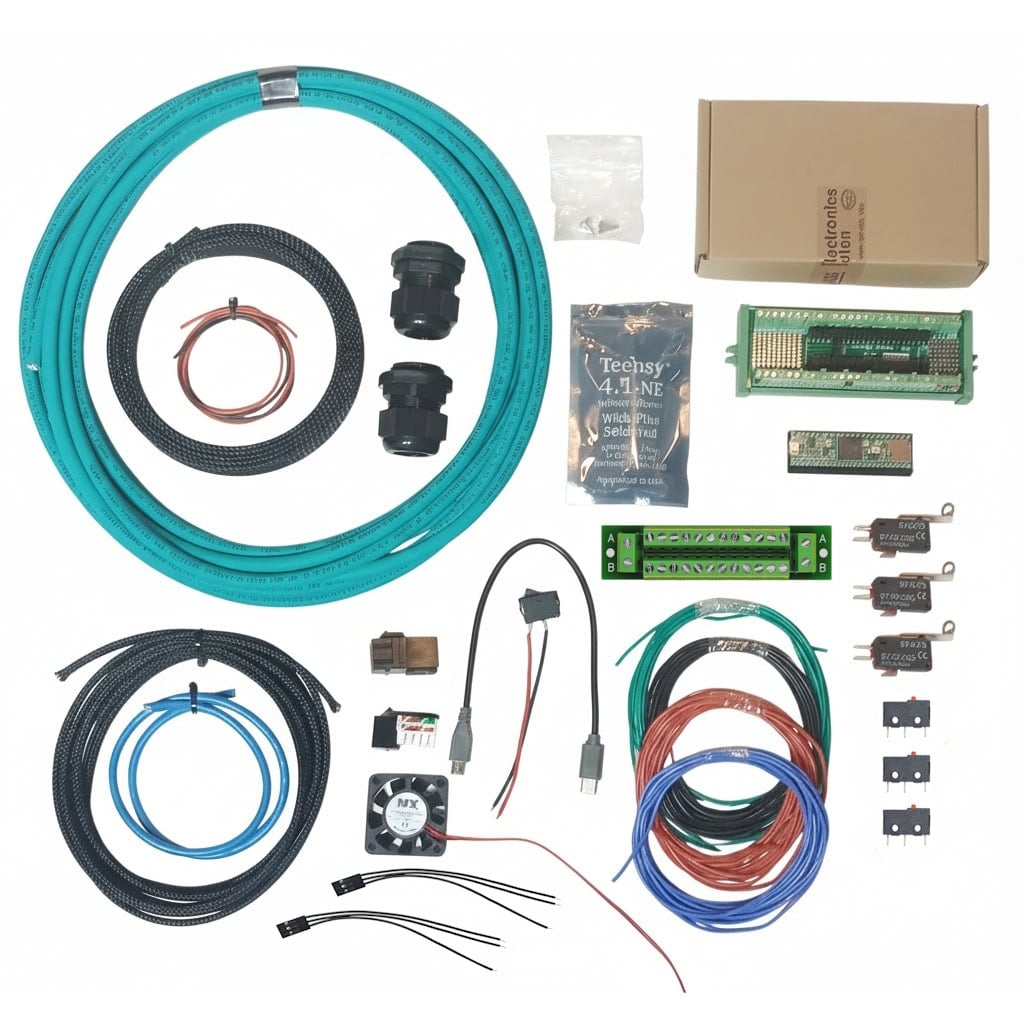
Two boards, two jobs
Most Arduino robot arms drive hobby servos straight from an Uno. The AR4 splits the work: the Teensy 4.1 handles stepper motion, encoders and kinematics, and a 5 V Arduino handles the peripherals.
Arm controller
Teensy 4.1
Clock
600 MHz
I/O board
Nano or Mega
Axes
6 + up to 3
What each board does
Teensy 4.1: the arm
Runs the motion math and path following for six closed-loop stepper axes, reads encoders and limit switches, and can drive up to three additional axes. Talks to the AR4 software over USB and to PLCs over Modbus RS-485 with the Modbus upgrade.
Arduino Nano: grippers and I/O
Runs at 5 V for relays, solenoids and servos. The AR4 Nano sketch controls up to 8 servos and 8 digital outputs and monitors up to 8 inputs. Swap in a Mega for more I/O.
| Main controller | Teensy 4.1, 600 MHz |
|---|---|
| Programmed with | Arduino IDE (Teensy board support) |
| Libraries | ModbusMaster, ArduinoJson |
| Peripheral board | Arduino Nano (or Mega for more I/O) |
| Nano I/O | Up to 8 servos, 8 digital outputs, 8 inputs |
| Electrical kit | $229, without motors |
Load the sketches
- Install the Arduino IDE with Teensy support, then add the ModbusMaster and ArduinoJson libraries.
- Upload the AR4 Teensy 4.1 sketch and start the AR4 software. The log should read “COMMUNICATIONS STARTED WITH TEENSY 4.1 BOARD”.
- For the Nano, select Arduino Nano under AVR boards and the old bootloader processor option, pick its COM port and upload the Nano sketch.
- In the AR4 software, set the Nano COM port on the config settings tab and press Set Com IO Board.
Full steps are in the build manual. Sketches and software are on the downloads page.
The Nano in the servo gripper
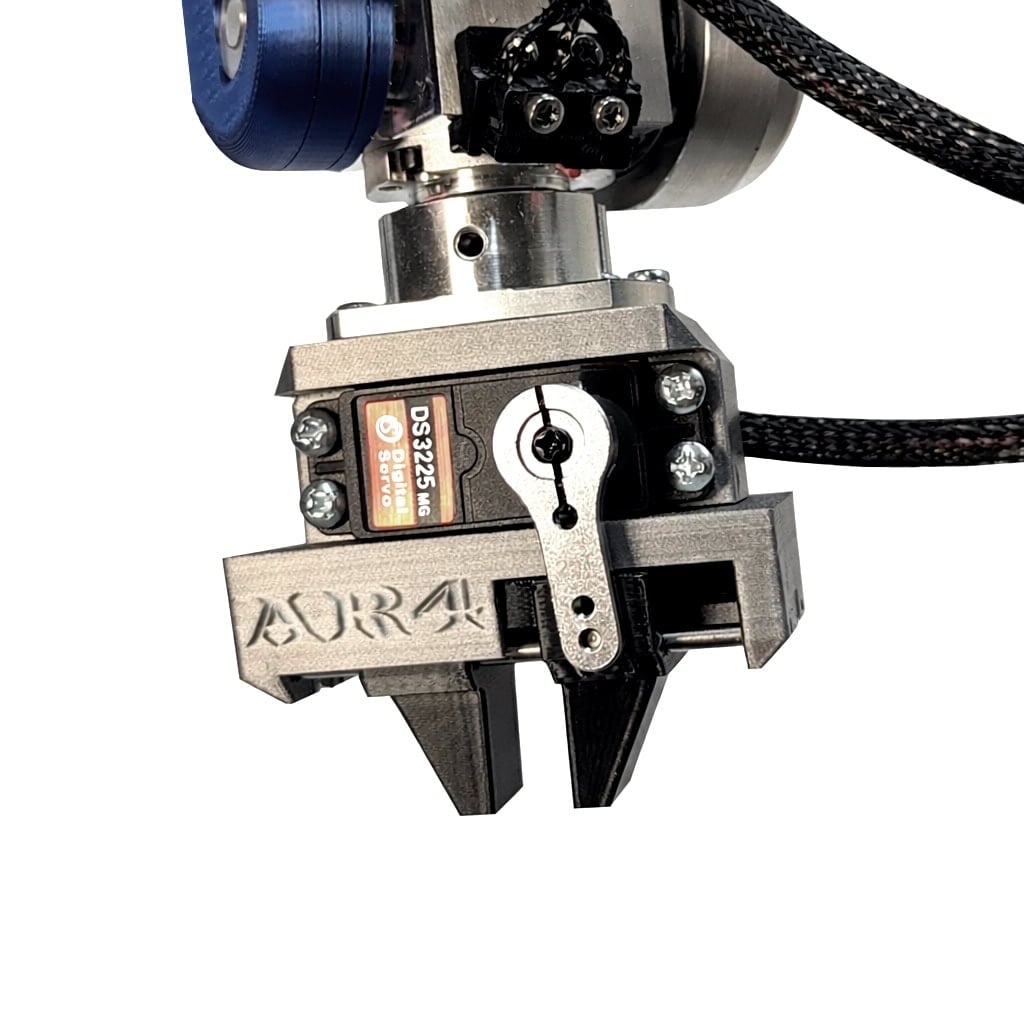
The $74.50 servo gripper parts kit includes the servo, an Arduino Nano and breakout board, a current-limit sensor, power supply, cables and hardware. Print the fingers yourself.
Build it
$1,928
AR4-MK5 combo kit (aluminum structure, hardware and electronics) plus the matched motor package.
FAQ
Is the AR4 an Arduino robot arm?
The main controller is a 600 MHz Teensy 4.1, which you program from the Arduino IDE. A separate Arduino Nano or Mega runs 5 V grippers, solenoids and I/O.
Why a Teensy 4.1 and not an Arduino Uno or Mega for the arm?
The Teensy 4.1 runs the kinematics at 600 MHz so path following stays tight. Earlier AR versions used an Arduino Mega and then a Teensy 3.5.
Why is there a second Arduino board?
The Teensy operates at 3.3 V and has limited pins. The Nano or Mega runs at 5 V, where relays and servos are more common and reliable, so the Teensy is used only to control the arm.
Which libraries does the Teensy sketch need?
Install the ModbusMaster and ArduinoJson libraries in the Arduino IDE, then load the AR4 Teensy 4.1 sketch. The startup chapter of the manual and the startup video walk through it.
How much I/O does the Nano give me?
The AR4 Nano sketch controls up to 8 servos and 8 digital outputs and monitors up to 8 inputs. Use a Mega if you need more I/O.
Do I write Arduino code to move the arm?
No. The sketches are supplied. You jog, teach and program the arm in the free AR4 HMI on your PC, or from ROS 2. You can edit the open sketches if you want to.