
Python API
Program the AR4 Robot Arm with the Python API
The same arm you teach in the HMI can be scripted. The AR4 Python API in ARrobot.py talks to the Teensy for motion and to the Nano for the gripper. This page follows that user guide, and the Python section of the programming guide.
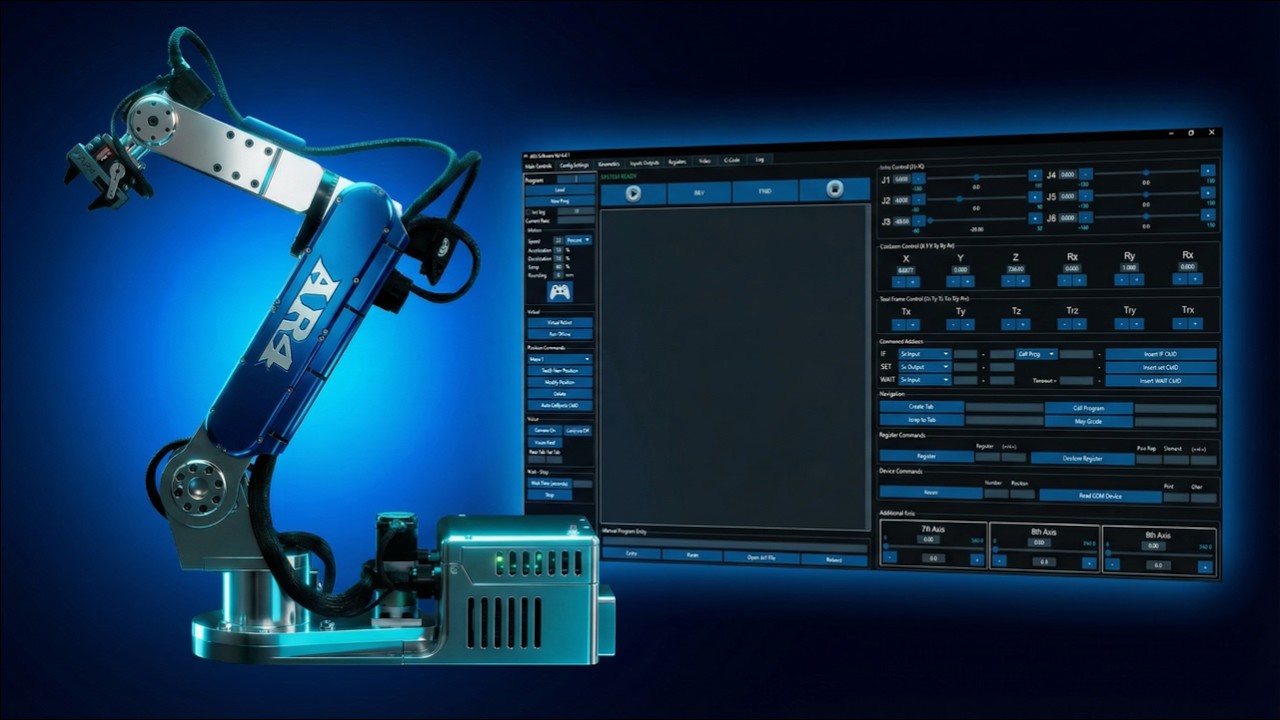
ARrobot.py
Method names below are from the July 2026 Python API user guide. A short tour of teach mode, Python and ROS 2 is in how to program a robot arm. The hardware is the AR4-MK5 6 axis robot arm kit.
Motion
ARRobot
Gripper I/O
ARNano
Baud
115200 / 9600
Dependency
pyserial
Two serial devices
ARRobot talks to the Teensy 4.1 motion controller: positions, calibration, motion, splines, Modbus and parameter updates. ARNano talks to the Arduino Nano: servos, the gripper, 5 V inputs and outputs. They use different COM ports and different baud rates.
| ARRobot | 115200 baud. Constructor timeout defaults to None; the examples pass timeout=0.25 while developing. |
|---|---|
| ARNano | 9600 baud, timeout 2 seconds. connect() waits about two seconds so the board can reset. |
| Install | python -m pip install pyserial, then list ports with python -m serial.tools.list_ports. |
| Import | from ARrobots.ARrobot import ARRobot, ARNano |
Motion calls
Joint lists are [J1, J2, J3, J4, J5, J6] in degrees. Poses are [x, y, z, rx, ry, rz] in millimetres and degrees. Speed, acceleration and deceleration are sent with spd_type percent. The wrapper does not clamp them.
| get_position(), get_joints(), get_pose() | Read state. get_position() waits for a robot_pos message. |
|---|---|
| move_joint_angles(), move_joints() | Joint moves. move_joints() needs at least six values. |
| move_cartesian(), move_pose() | Joint-interpolated path to a pose (the controller's move_j). Not a straight line. |
| move_linear() | Straight tool path (move_l), with a rounding value for blending. |
| move_arc(), move_circle() | Arc through a midpoint, or a circle from center, plane and orientation. |
| spline_start(), spline_end() | Queue linear moves. Call spline_end() in a finally block. |
| calibrate(), update_params() | Calibration motion, and loading DH and motor parameters from a JSON file. |
| stop() | Software stop. It does not wait for a reply, and it is not an E-stop. |
From the API guide's quick start
from ARrobots.ARrobot import ARRobot, ARNano

robot = ARRobot(port="COM4", timeout=0.25)  # Teensy 4.1, default 115200 baud
nano = ARNano(port="COM5")                   # Nano I/O, default 9600 baud

try:
    robot.connect()
    nano.connect()
    print(robot.hello())
    print(robot.get_position())  # keys "j" and "pose"
    robot.move_joint_angles(0, 0, 0, 0, 90, 0, speed=15, acc=10, dec=10)
    robot.move_linear(315, 0, 450, 0, 135, 0, speed=12, acc=10, dec=10, rounding=0)
    nano.gripper_open()   # servo 0, position 45
    nano.gripper_close()  # servo 0, position 0
finally:
    nano.disconnect()
    robot.disconnect()
Change COM4 and COM5 to the ports on your computer. Clear the work envelope. The example pose is the guide's sample, not a safe pose for every robot.
Gripper, inputs and Modbus
- nano.gripper_open() sets servo 0 to position 45. nano.gripper_close() sets it to 0. nano.gripper_detach() turns servo PWM off.
- nano.servo_write(num, pos) for other channels. nano.input_read(pin), nano.set_output(pin, state) and nano.wait_input(pin, state, timeout) cover 5 V I/O.
- nano.test_gripper_amps() runs the current-sensor test on the servo gripper.
- robot.modbus_read_coil, modbus_read_discrete_input, modbus_read_holding_register, modbus_read_input_register, modbus_write_coil and modbus_write_register talk to a PLC through the Teensy. Wait helpers are wait_modbus_coil, wait_modbus_input and wait_modbus_holding_register.
The RS-485 wiring for those Modbus calls is the PLC guide. Slave id and register addresses come from your PLC program. The API returns the controller's text; it does not convert reads into integers.
Community threads
These are builder threads about driving the arm from Python, including attempts written before the current ARrobot.py guide. Use the user guide for method names.
- External control through Python: a request for an API separate from the HMI.
- Python programming: sending serial commands, including gripper commands, from a script.
- Serial comms in Python: which baud rate to use. The guide's answer is 115200 for the Teensy and 9600 for the Nano.
- Not able to connect to the Teensy from Python: the HMI port is set but the controller does not answer.
The arm
AR4-MK5 6 axis robot arm kit
The API drives the controller that ships with the combo kit. Compare kits and options on robot kits.
Keep reading
FAQ
Where is the AR4 Python API documented?
In the AR4 Python API User Guide (revised July 2026). It is written against ARrobot.py. The dependency is pyserial. Import ARRobot and ARNano from ARrobots.ARrobot.
Which COM port is the robot?
The Teensy motion controller and the Nano I/O board are separate serial ports. ARRobot defaults to 115200 baud. ARNano defaults to 9600 baud. The guide says to identify each port in Device Manager or the HMI port selector.
Is robot.stop() an emergency stop?
No. The guide says robot.stop() sends a software stop and returns without waiting for an acknowledgement. Use the hardware emergency stop for safety.
Does the API check for collisions?
No. The guide says the wrapper does not verify that a Cartesian target is reachable or that a path is collision-free. Start at low speed and test one move at a time.
Can I drive a PLC from Python?
Yes, through the Teensy. ARRobot has Modbus coil and register read, write and wait methods. The physical link is the RS-485 Modbus upgrade, not an Ethernet port.