
DIY guide
DIY 6 Axis Robot Arm: What It Takes
A DIY 6 axis robot arm is a great project and a lot of engineering. This guide breaks down the six systems every arm needs, and how the open source AR4 handles each one so you can build, change or borrow from it.
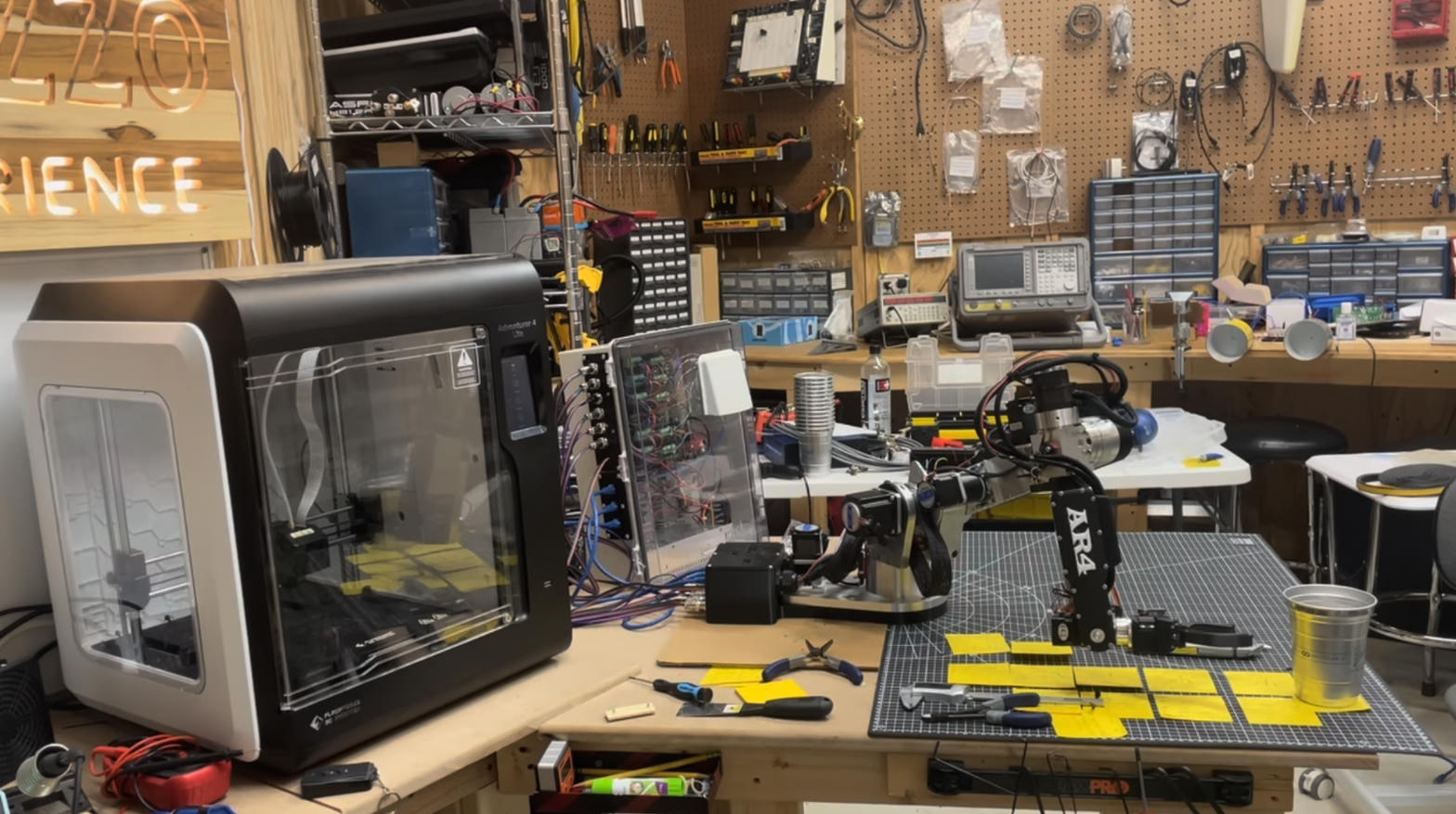
Start from a proven design
The AR4 has been refined through the AR2, AR3 and five AR4 revisions. Its manual, print files, kinematic sheets and software are published, so a DIY builder can follow it exactly or use it as a reference for their own design.
Axes
6 + up to 3
Revisions
AR2 to MK5
Kit + motors
$1,928
Software
Free
The six systems in a 6 axis arm
Most DIY arms that disappoint fail in one of these areas, usually stiffness, backlash or homing. Here is what each one has to do and what the AR4 uses.
Structure
Links stiff enough not to flex under load. The AR4 uses 26 machined aluminum structural parts, with 3D printed PETG covers.
Actuators
Torque with low backlash at every joint. The AR4 uses geared stepper motors, sized per joint (J2, for example, uses a 23HS22-2804D-YGS50 geared stepper).
Feedback
Knowing where each joint really is. The AR4 motors have encoders on every joint for closed loop control.
Homing
A repeatable zero after power up. MK5 uses Hall effect sensors on J1 to J3 and microswitches on J4 to J6.
Controller
Enough speed for the kinematics. A 600 MHz Teensy 4.1 runs the motion math; an Arduino Nano or Mega runs grippers and I/O.
Software
Jog, teach and run programs. The free AR4 HMI, a Python API, ROS 2 drivers, Modbus and G-code all drive the arm.
AR4 joint layout
Use this as a reference for your own design, or as the checklist for building the AR4. Full motor and driver details are on the specs page.
| J1 Base | ±170°, Hall effect homing, DM332T driver |
|---|---|
| J2 Shoulder | ±90°, Hall effect homing, DM332T driver |
| J3 Elbow | −10° to +150°, Hall effect homing, HTD belt drive, DM332T driver |
| J4 Wrist roll | ±180°, microswitch homing, DM320T driver |
| J5 Wrist pitch | ±120°, microswitch homing, DM320T driver |
| J6 Tool roll | ±180°, microswitch homing, DM320T driver |
Three ways to build it
- Step 1Build the full kitBuy the combo kit and the StepperOnline motor package, print the covers and follow the manual. This is the most direct route to a working arm.
- Step 2Mix kits and your own partsThe aluminum, hardware and electrical kits are sold separately. Machine or source what you want, and use the Chapter 1 bill of materials for the rest.
- Step 3Design your own, using the AR4 as referenceStudy the manual, the DH kinematic sheets and the joint ranges. The MK5 SOLIDWORKS and STEP models are available as a $99 CAD download.
The AR4 design is free for education, hobby use and automating your own work. Manufacturing the robot or its parts to resell needs written permission from Annin Robotics.
Printed DIY arms vs an aluminum kit
Fully printed arms like Thor and the BCN3D Moveo are cheap to source part by part and are great for learning. The AR4 costs more but uses machined aluminum, encoders on every joint and a rated 1.9 kg payload. See AR4 vs Thor, AR4 vs PAROL6, AR4 vs Arctos and the open source robot arm roundup for sourced figures.
Bringing a DIY arm to life
Once it is built, load the Teensy 4.1 sketch from the Arduino IDE (it needs the ModbusMaster and ArduinoJson libraries), install the matching HMI version, then run the startup checks and calibration in Chapter 8. The calibration guide and programming guide cover the next steps.
Kit plus motors
$1,928
Combo kit $1,229 + StepperOnline motor package $699. Grippers and printed covers are extra.
Keep reading
FAQ
Can I build a 6 axis robot arm myself?
Yes. The hard parts are a stiff structure, geared motors with feedback, homing sensors, a controller fast enough for the kinematics and software to teach and run programs. The AR4 kit and its free manual cover all of them.
Should I design my own arm or build a kit?
Design your own if the design is the project. Build a kit if you want a working arm and want to spend your time programming and integrating it. Many builders start with the AR4 and then modify it.
Are the AR4 design files available?
The 3D print files and the build manual are free on the downloads page, along with DH kinematic sheets and a motor steps calculation sheet. The full SOLIDWORKS and STEP models of the MK5 are sold as a CAD download.
Can I source the AR4 parts myself?
The bill of materials is in Chapter 1 of the manual, and the aluminum, hardware and electrical kits are also sold separately, so you can mix kit parts with parts you source or make.
Can I sell robots I build from the AR4 design?
The design is free for education, hobby use and automating your own work. Manufacturing the robot or its parts to resell is not allowed without written permission.
What controller does a DIY 6 axis arm need?
The AR4 uses a 600 MHz Teensy 4.1 for the motion math and an Arduino Nano or Mega for 5 V grippers and I/O. Both are programmed from the Arduino IDE with the supplied sketches.