
Buyer's guide
Desktop Robot Arm: How to Choose One
A desktop robot arm should fit your bench, lift what you need to move and run from software you can actually use. Here is how to size one, and where the AR4 fits.
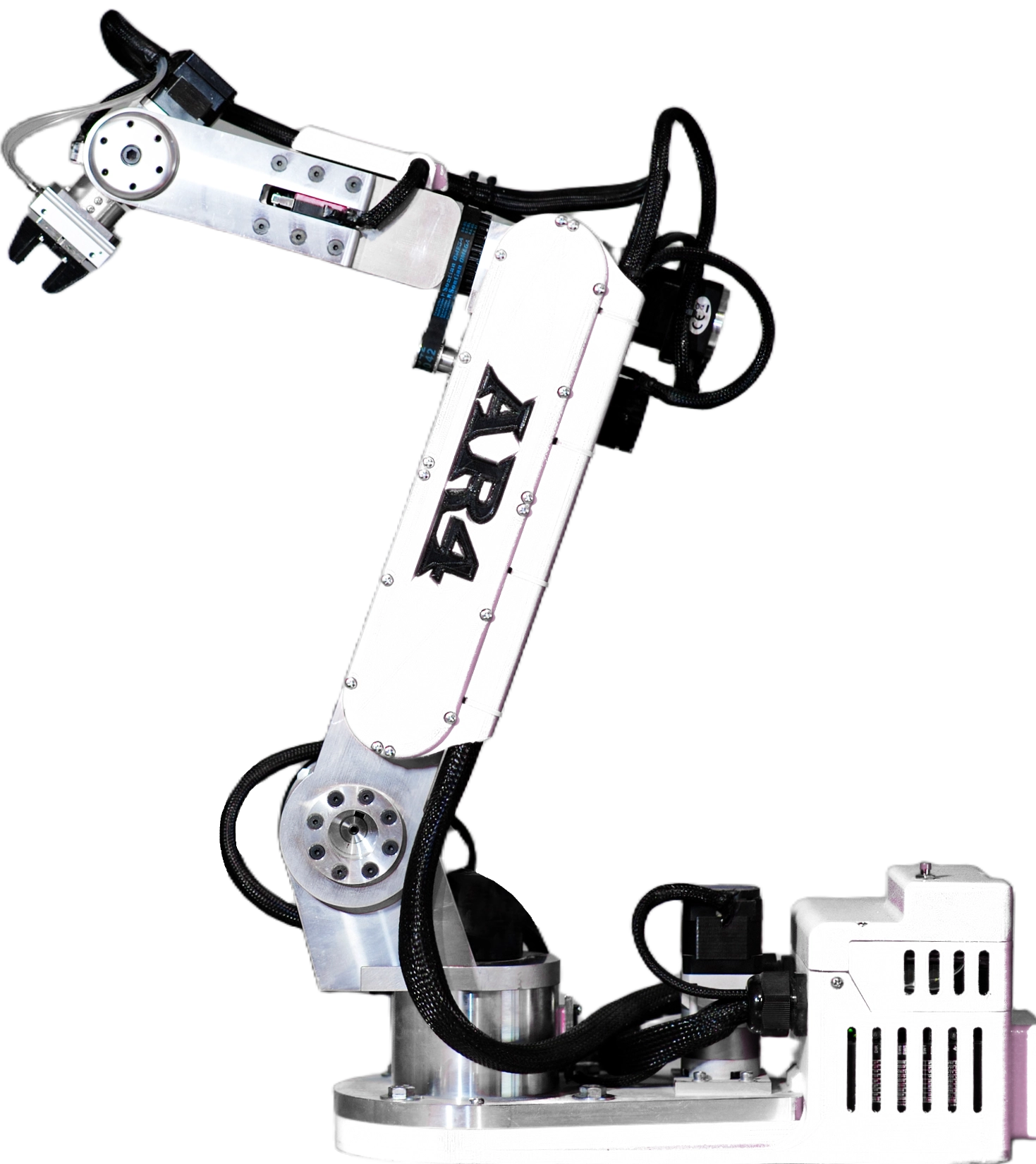
The AR4 on a bench
The AR4-MK5 is a six axis arm built from machined aluminum that bolts to a bench and runs from a PC. It sits at the large end of the desktop class: more reach and payload than most servo arms, and more weight to anchor.
Reach
629 mm
Payload
1.9 kg
Repeatability
0.25 mm
Arm weight
12.25 kg
What counts as a desktop robot arm
"Desktop" describes where the arm lives, not how it is built. Anything that mounts to a table, runs from a laptop and does not need a fenced industrial cell gets the label. That covers very different machines.
Small servo arms
Hobby servos or serial bus servos in a light frame. Cheap and easy to start with, usually with payloads in the hundreds of grams.
Finished desktop cobots
Assembled arms with built in controllers and vendor software. Quick to set up, with closed hardware and higher prices.
Open stepper kits
Arms you build from a kit with stepper motors and published designs. The AR4 is one: aluminum structure, closed loop steppers, open firmware and software.
Five numbers to check before you buy
- Step 1ReachMeasure the farthest point the tool must touch, then add margin. The AR4 reaches 629 mm (24.75 in) from the J1 center to the flange.
- Step 2PayloadAdd the gripper, any camera and the part. The AR4 is rated for 1.9 kg (4.15 lb). A gripper alone can use much of a small arm's rating.
- Step 3RepeatabilityHow closely the arm returns to a taught point. The AR4 spec is 0.25 mm with encoder feedback on every joint.
- Step 4Mass and mountingA heavier arm is stiffer but needs a solid bench. The aluminum AR4 is 12.25 kg (27 lb). Bolt or clamp the base.
- Step 5Software and I/OCheck what you can program it with and what it can talk to. The AR4 runs a free Python HMI, ROS 2, Modbus and G-code.
How desktop arms compare on paper
These figures come from each maker's own pages as listed on our comparison pages (checked October 2026). Follow the links for the sources and the full side by side.
| AR4-MK5 (Annin Robotics) | 6 axes, 629 mm reach, 1.9 kg payload, 0.25 mm repeatability, $1,928 kit with motors |
|---|---|
| myCobot 280 Pi | 6 axes, 280 mm working radius, 250 g payload, ±0.5 mm. AR4 vs myCobot 280 |
| Dobot Magician | 4 axes, 320 mm reach, 500 g payload, ±0.2 mm. AR4 vs Dobot Magician |
| WLKATA Mirobot | 6 axes, 315 mm workspace, 250 g standard payload, 0.2 mm. AR4 vs Mirobot |
| UFACTORY Lite 6 | 6 axes, 440 mm reach, 600 g payload, ±0.5 mm. AR4 vs Lite 6 |
| Hiwonder xArm 1S | 6 DOF counted as 5 plus a gripper, servo driven; reach and payload not published. AR4 vs xArm 1S |
Numbers are not the whole story. Several of these arms ship assembled and some are faster than the AR4 (its published max linear speed is 100 mm/s). The comparison pages list where each one is stronger.
Setting up a desktop arm safely
The AR4 is an industrial style arm, not a collaborative robot, so plan the bench like lab equipment.
- Use a sturdy bench and bolt or clamp the base. The arm weighs 27 lb and moves its own mass quickly.
- Mark the full reach envelope (24.75 in from the base center) and keep hands out while a program runs.
- Keep a way to cut power within reach. The G-code and safety upgrade tutorial shows adding an emergency stop button.
- Plan power: a 24 VDC supply rated for the arm's 198 W (8.25 A) maximum. The StepperOnline motor package includes it.
- Test new programs slowly, or in the HMI's virtual robot first.
Software on the desk
The free AR4 HMI runs on a PC and talks to the Teensy 4.1 controller over USB. You jog in joint, Cartesian or tool frame, teach positions and run programs, with a virtual robot for offline work. Developers can use the Python API, the ROS 2 driver with MoveIt, Modbus to a PLC, or G-code.
Kit plus motors
$1,928
Combo kit $1,229 + StepperOnline motor package $699. Grippers and printed covers are extra.
Keep reading
FAQ
What is a desktop robot arm?
A robot arm small enough to mount on a bench or table and run from a normal PC, instead of a floor mounted industrial robot with its own cell. Desktop arms range from small hobby servo arms to aluminum six axis arms like the AR4.
How big is the AR4 on a desk?
The AR4-MK5 reaches 629 mm (24.75 in) from the J1 center to the flange and weighs 12.25 kg (27 lb). Bolt or clamp the base to a sturdy bench and keep the full reach envelope clear.
How much can a desktop robot arm lift?
It varies a lot by design. The AR4 is rated for 1.9 kg (4.15 lb). Small servo desktop arms are often rated in the hundreds of grams, so check each maker's published payload before you compare.
Is the AR4 a collaborative robot?
No. The AR4 is an industrial style arm, not a cobot. Treat it like lab equipment: keep hands out of the reach envelope while a program runs and keep a way to cut power within reach.
What do I need besides the arm?
A 24 VDC supply (it ships in the StepperOnline motor package), a PC to run the free AR4 software, a gripper or tool, and printed covers. The pneumatic gripper also needs a small air compressor.
Can I try the software before I buy?
Yes. The AR4 HMI is a free download and includes a virtual robot, so you can jog and program a digital twin with no hardware attached.